About this update
This update will add the 2008 revised version of the NY C-2 Form to the Xpress Comp Library. The existing C-2 Form will be moved to the OLD FORMS library under the FORM menu. At no time, no data will be deleted.
Who Should install this update
This update is for registered user of Xpress Comp who have a license for the NY forms library.
How to install this update
- After clicking the download link, click Run
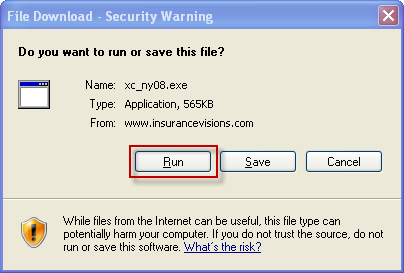
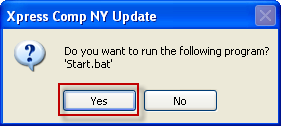
- Once the download is complate, you will see the following dialogs. Follow the buttons outlined in red
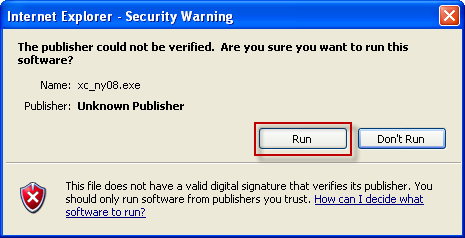
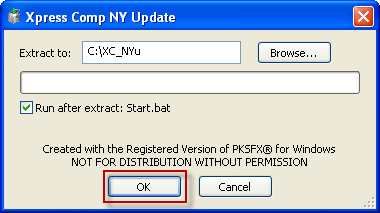
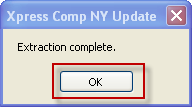
- Start Xpress Comp
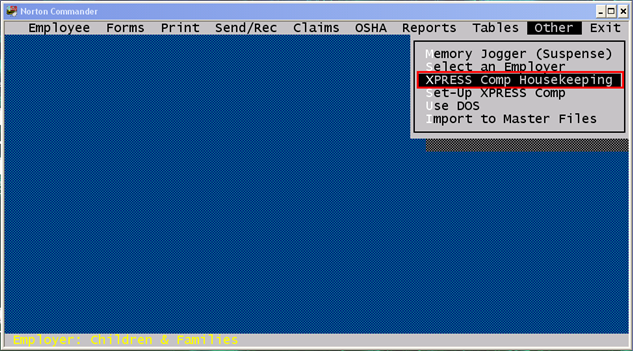
- Go to the "Other" Menu
- Choose "Xpress Comp Housekeeping"
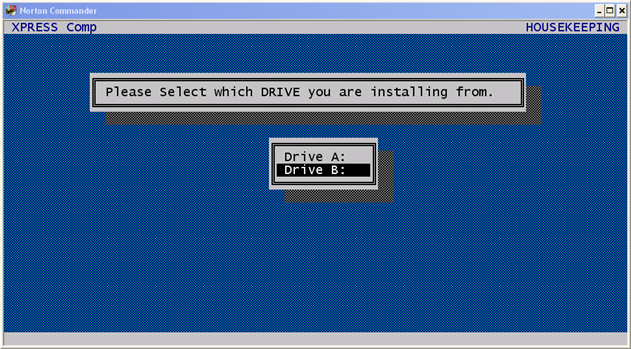
- Select "Install Update Disk" and press <Enter> trhough the prompts until you get to the drive letter
- Highlight and choose "Drive B:"
- Once the update is done, you can start using the new NY C-2 form
Download the update
Click here to download the file
Important Note
The 2008 version of the C-2 was split in to two libaraies. To complete the from both form liabaries must be completed
- NY-Employers' First Report of Injury (C-2) Part 1
- NY-Employers' First Report of Injury (C-2) Part 2
|