| Insurance
Visions: DOS Programs |
|
|
|
Products:
|
All
DOS Programs |
|
Version:
|
N/A |
|
Problem:
|
You need to install WinZip |
|
Installing
WinZip:
|
- Click here to start the download
of the Free Trail of WinZip
- When the Open/Save dialog appears, select 'Open'
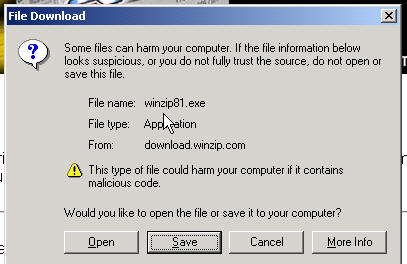
- Once the file is retrieved, a WinZip dialog will appear,
click on 'Setup'
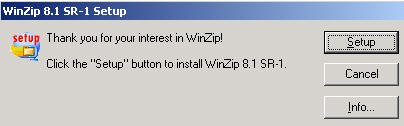
- Click on Next, read the usage agreement, click 'Yes' if
you agree
- The Next Screen is asking where you want the program installed,
just use the default setting
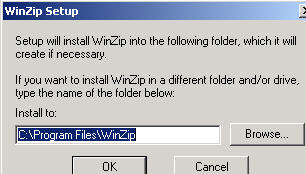
- Click on Next a few times, you will now need to select
a startup option, choose WinZip Classic then click next
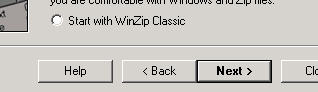
- Continue clicking on Next until the program is installed
- The WinZip program will now run, go ahead an close it
|
|
Note:
|
Please support WinZip by purchasing
their product if you find it useful |
|
|